
LockDot
See what matters every time you pick up your phone.
Your list, your key note and your “Did I…?” checks, right on the Lock Screen.
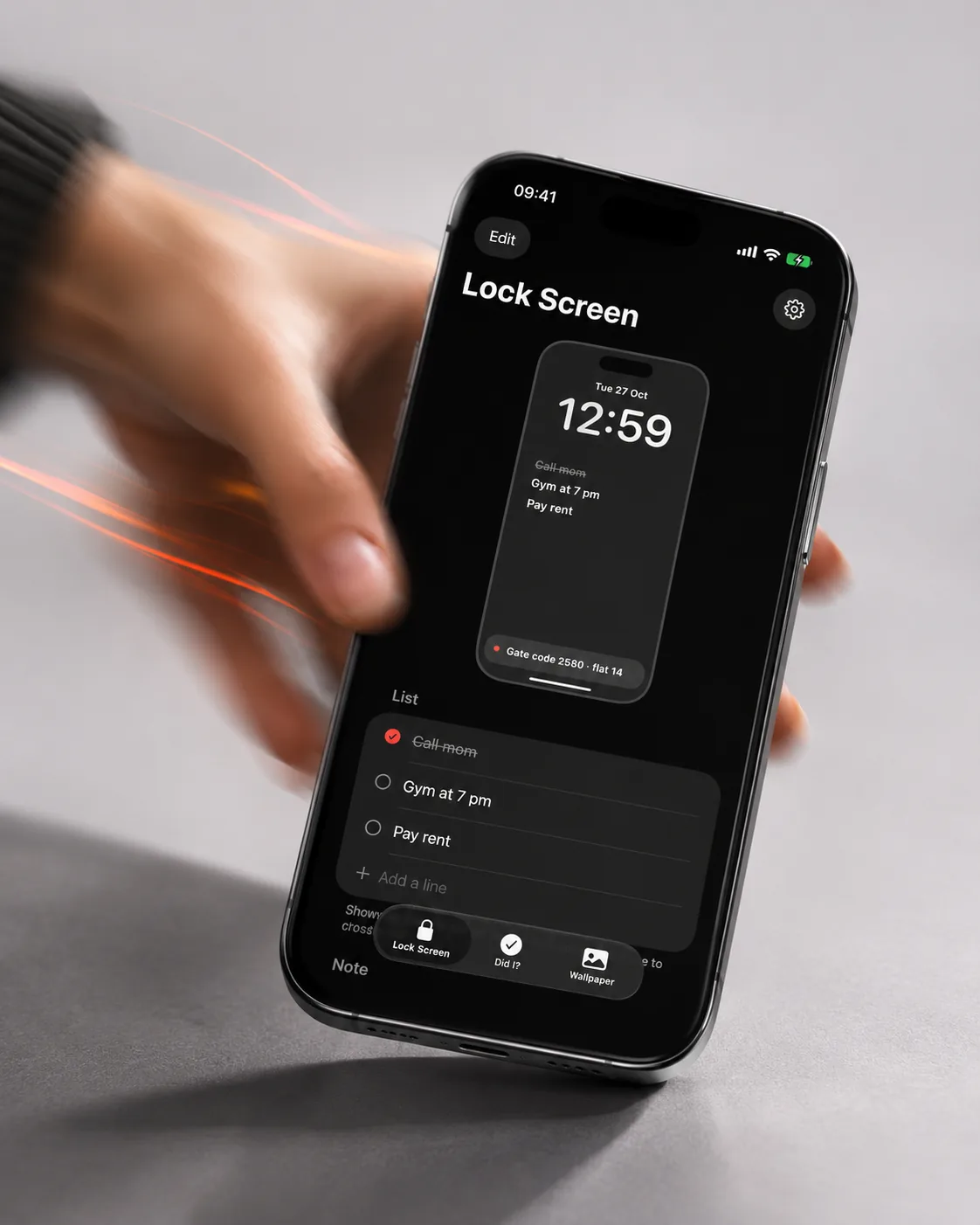
LockDot lives where you look a hundred times a day. Cross out a line without unlocking, pin a gate code to the Dynamic Island and answer “Did I lock the door?” with one tap.
Watch it move
The app in 20 seconds
The same short film we made for the App Store. It plays muted; tap the button to pause.
What it does
Screen by screen
-
 01
A list on the Lock Screen
Tap a line on the widget to cross it out. No unlocking, no opening the app.
What is where
- Top: a preview of your Lock Screen with the list.
- Below: up to three lines. Type to edit, tap the circle to tick.
- Tab bar: Lock Screen, Did I?, Wallpaper.
-
 02
Did I…? Yes / No
Did I lock the door? Did I take my pill? Answer with one tap and see the time you did it. Answers reset at midnight.
What is where
- Each card is one question.
- Big YES with the time, or NO if not yet.
- + at the top adds a new question.
-
 03
A note in the Dynamic Island
A gate code, a parking spot, “get milk”. It stays at the top of the screen while you use other apps.
What is where
- Top: the note in the Dynamic Island.
- It stays there over Messages or any other app.
- Tap it to open or change the note.
-
 04
Wallpaper with your list
Draw up to 8 lines right onto a wallpaper. Works on any iPhone and updates itself with Shortcuts.
What is where
- Top: a preview of the wallpaper with your list.
- Middle: background colours or your own photo.
- Bottom: text size, position and Share.
App Store screens
Tap a screen to open it full sizeQuestions
Do I need an account?
No account, no sign-up, no ads. Everything stays on your iPhone.
What is free?
3 lines, 2 questions, the Dynamic Island note and wallpapers. Pro unlocks unlimited lines and more.
Documents
