
Doly
Start it. Finish it. Keep the flame.
A to-do list with focus built in: tap ▶ on any task and a small flame keeps you company until it’s done.
Doly is for the tasks you keep moving to tomorrow. It asks what is in the way, breaks big things into small steps on your device, and turns starting into a two-minute decision.
Watch it move
The app in 20 seconds
The same short film we made for the App Store. It plays muted; tap the button to pause.
What it does
Screen by screen
-
 01
Focus right from the task
Tap ▶ on any task and the focus screen opens with a living flame and a timer. Flow, Sprint, Just 2 minutes or your own rhythm.
What is where
- Top: the task you are working on and the mode.
- Centre: the flame and the time left. It also sits on the Lock Screen and in the Dynamic Island.
- Bottom: pause, stop, Silence and Focus together.
-
 02
“Why am I putting this off?”
Too big, not sure where to start, boring, no energy. Pick what’s true and on-device AI splits the task into small steps with a time for each.
What is where
- Top: the question and the task in quotes.
- Tiles: the reason that fits, like “It’s too big”.
- List: first steps with minutes on the right. Start with the smallest one.
-
 03
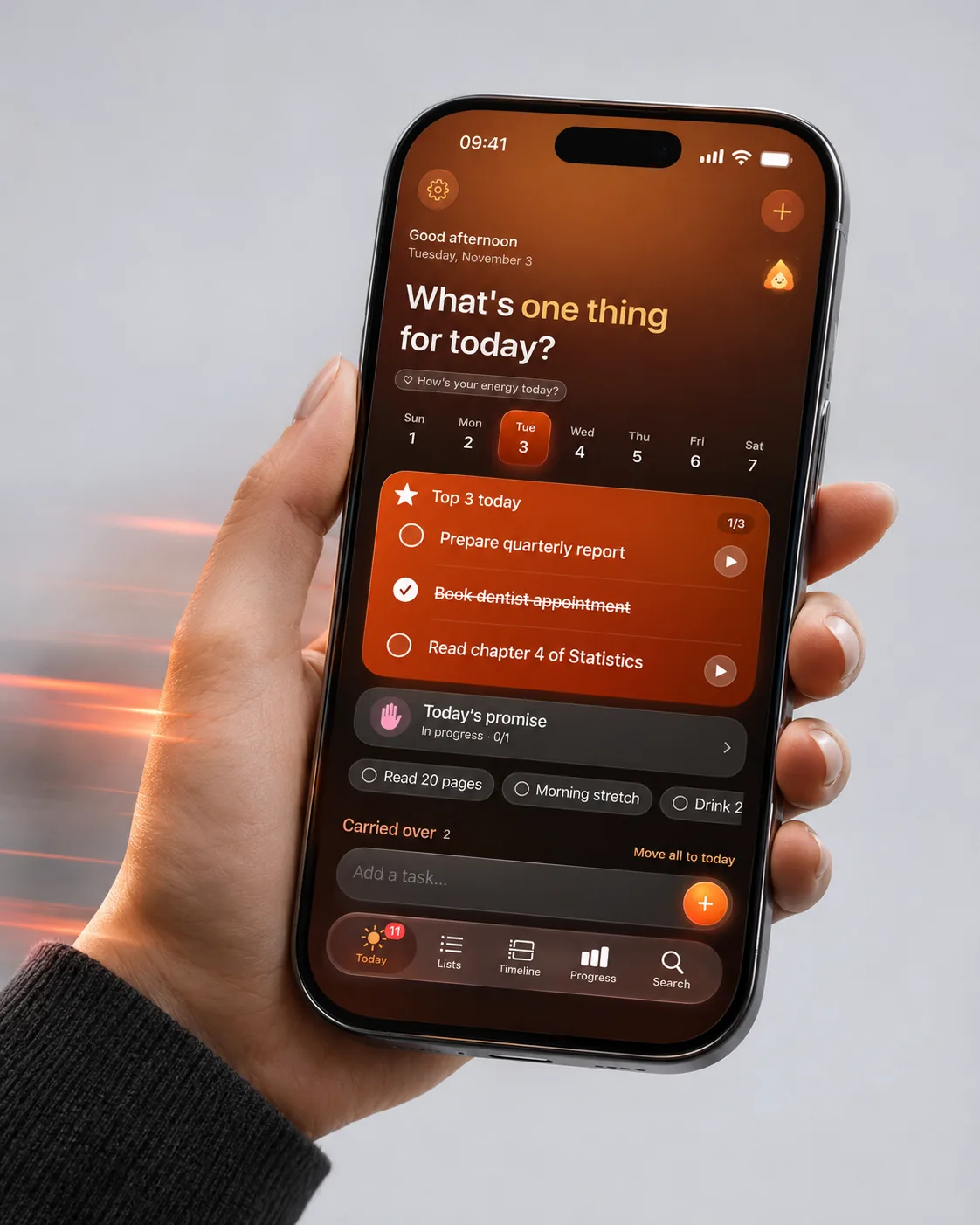
A calmer Today
Doly asks how much energy you have and suggests your Top 3 for the day. Everything else waits below, with no red “overdue”.
What is where
- Top: “What’s one thing for today?” and a quick energy check-in by day.
- Middle: Top 3 with ▶ next to each task.
- Bottom: today’s promise, carried-over tasks and quick add.
-
 04
Ember grows with you
A small flame companion levels up with every task and focus session. Streaks, a weekly chart and an activity heatmap show the progress.
What is where
- Card: Ember, its level and mood.
- Middle: your streak and focus time by day.
- Bottom: the weekly report and the activity heatmap.
App Store screens
Tap a screen to open it full sizeQuestions
Does Doly work offline?
Yes. Tasks live on your device and sync through your own iCloud or Google Drive when you are online.
Is the AI sending my tasks somewhere?
No. Step suggestions run on your device (Apple Intelligence or Gemini Nano where supported). Without them you get simple built-in tips.
Can I hide the flame?
Any time, in Settings.
Documents
