
FridgeFit
Eat what you have. Fit your goal.
Your fridge, your recipes and your calorie counter in one calm app.
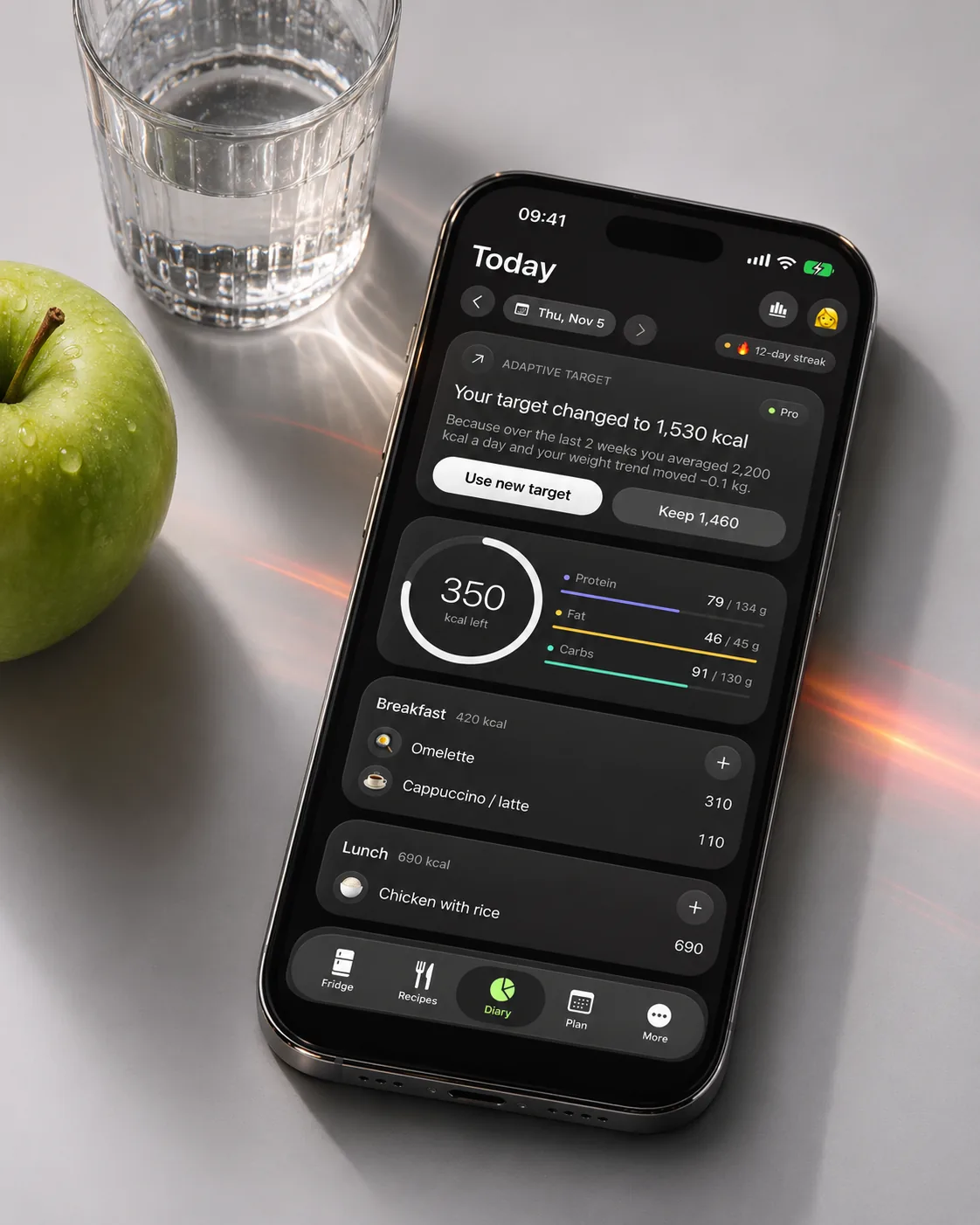
Scan a grocery receipt and your fridge fills itself. FridgeFit tells you what expires first, what you can cook from it right now and how it fits the calories and macros you have left today.
Watch it move
The app in 20 seconds
The same short film we made for the App Store. It plays muted; tap the button to pause.
What it does
Screen by screen
-
 01
A fridge that knows dates
Fridge, freezer and pantry with expiry dates and “use soon” reminders. Add by receipt, barcode, voice or by hand.
What is where
- Top: search and + to add food.
- Banner: what expires soon and recipes that use it.
- List: each item with weight, price and days left.
-
 02
“I need 600 kcal”
Tell it how much you have left for the day and get dishes from what is already in your fridge, with portions scaled to fit.
What is where
- Top: the calories you want to fill.
- Chips: use what’s left today, more protein, or a quick number.
- Below: dishes with calories and protein per portion.
-
 03
Just say what you ate
Say “two eggs, toast and coffee with milk” and it’s in the diary. Barcode and a plate photo work too.
What is where
- Top: the microphone. Tap and speak.
- Middle: what it heard and the total calories.
- List: each food with − and + to fix the amount.
-
 04
Receipt to fridge
Point the camera at a receipt. Text is read on your device and every item lands in your fridge with its price.
What is where
- Top: the store and the receipt total.
- List: each item it found with the price.
- Untick anything that isn’t food. Unknown lines can be fixed with a tap.
App Store screens
Tap a screen to open it full sizeQuestions
How many recipes are there?
More than 960 original recipes with calories and macros per serving, plus recipes generated on your device.
Is it a medical app?
No. FridgeFit gives general nutrition estimates and is not medical advice.
Where does food data come from?
USDA FoodData Central for fresh foods and Open Food Facts for barcodes.
Documents
